

You can write a basic STUN and TURN server in Go using the pion/turn/v4 library in a single evening with just a hundred lines of code. However, as soon as such a prototype hits a production server with hundreds of concurrent media streams, systemic issues surface: a single UDP socket queue hits Linux kernel lock contention, mobile clients switching networks clog the port pool with dead allocations, and an open relay becomes a target for scanning the internal cloud network.
In the previous article on a Coturn alternative for Linux, I covered the operational headaches of manually configuring files and the reasoning behind moving to a single executable. Below, we will take a deep dive into the internal architecture of Slyber TURN Server and the technical decisions that allowed us to squeeze maximum performance out of the Linux network stack within a single static binary.
Bypassing the Single UDP Socket Bottleneck via SO_REUSEPORT and Kernel Buffer Tuning
In a standard network server implementation, the application opens a single UDP socket on port 3478 and reads packets from it in a loop. Under heavy WebRTC traffic loads—where thousands of small audio and video packets flow per second for each session—a single socket becomes the primary point of degradation. The Linux kernel spends CPU time on receive queue lock contention for a single file descriptor while neighboring CPU cores sit idle.
In slyber_turn, the network layer is designed from the ground up for multi-core processing:
- Scaling listeners across CPU cores. On startup, the server reads the number of available CPU cores
TURN_THREADS=NumCPUand spins up independent UDP sockets on the exact same port using theSO_REUSEPORTsystem flag. The Linux kernel network stack handles distributing incoming datagrams across threads without lock contention in user space. - Automatic socket buffer expansion up to 8 MB. The default limit of
net.core.rmem_maxandnet.core.wmem_maxat 208 KB overflows at the very first bitrate spike from video cameras. Both the installation script and the server itself raise the system read and write buffers to 8 MB, completely eliminating silent packet drops at the NIC and kernel levels. - In-memory certificate generation. Encrypted transport does not require dealing with key files on disk: the server generates an
ECDSA P-256curve certificate on the fly directly in RAM.
Atomic Traffic Shaping and Socket Cleanup During WiFi-to-LTE Handovers
The second production challenge revolves around resource control. The relay port pool from 49152 to 65535 accommodates 16384 concurrent sessions. In real-world conditions, this pool rapidly degrades for two reasons: uncontrolled bandwidth consumption by individual peers and hanging mobile connections.
When a smartphone user steps out of their home router range and switches from WiFi to a 4G or LTE mobile network, their IP address changes instantly. The client application requests a new allocation on the TURN server, but the old relay socket continues hanging in memory until its standard multi-minute lifetime expires. When thousands of such network switches occur, the server exhausts its port limit.
In slyber_turn, this issue is solved by binding allocations to a user identifier:
- When requesting credentials via the built-in endpoint
/api/turn-credentials?user_id=user_42, the identifier is embedded into the session structure. - As soon as the same
user_idestablishes a new active session from a different network interface, that user's old inactive sockets are forcefully cleaned up and returned to the pool within 5 seconds. - To protect the channel from overload, each session is assigned a non-blocking rate limiter
MAX_KBPS_PER_SESSION, built on the Token Bucket algorithm using lock-freesync/atomicoperations without mutexes.
| Network Mechanism | Slyber TURN Server Implementation | Production Impact |
| UDP traffic ingestion | Socket pool with SO_REUSEPORT flag | Even load distribution across all CPU cores |
| Kernel socket buffers | Automatic tuning up to 8 MB | Zero packet loss during video bitrate spikes |
| Bandwidth shaping | Lock-free atomic Token Bucket | Consistent latency without thread contention |
| WiFi and LTE network handover | Grouping by user_id and 5s eviction | Protects the 16384-port pool from leaks |
Filtering Cloud SSRF Attacks While Preserving TURN Hairpinning Support
Because a TURN server relays traffic on behalf of its own network interface, any flaw in destination address filtering turns it into an open proxy inside your backend infrastructure. Through CreatePermission and ChannelBind commands, an attacker could attempt to read cloud provider metadata or scan neighboring services on the local network.
In slyber_turn, the security filter operates at the relay core level before the very first packet is sent and is enabled by default without configuring external access control lists:
- Requests to cloud metadata endpoints (IPv4
169.254.0.0/16and IPv6fd00:ec2::254/128),loopbackinterfaces, and all private local subnet ranges are strictly blocked. - Network noise is automatically filtered out when browsers mistakenly attempt to relay their internal local candidates through TURN.
- Despite the strict filtering, full support for TURN Hairpinning is preserved. If two clients behind strict symmetric NATs are connected to the same
slyber_turnnode, the server accurately recognizes its own external IP on relay ports and loops the route between peers in memory without touching the local subnet.
Load Testing Methodology via the Built-in slyber_turn bench
Standard system utilities like iperf3 are unsuitable for testing TURN infrastructure because they only test the raw transport channel, bypassing the HMAC authentication phase, relay port allocation, TURN channel headers, and peer-to-peer forwarding logic.
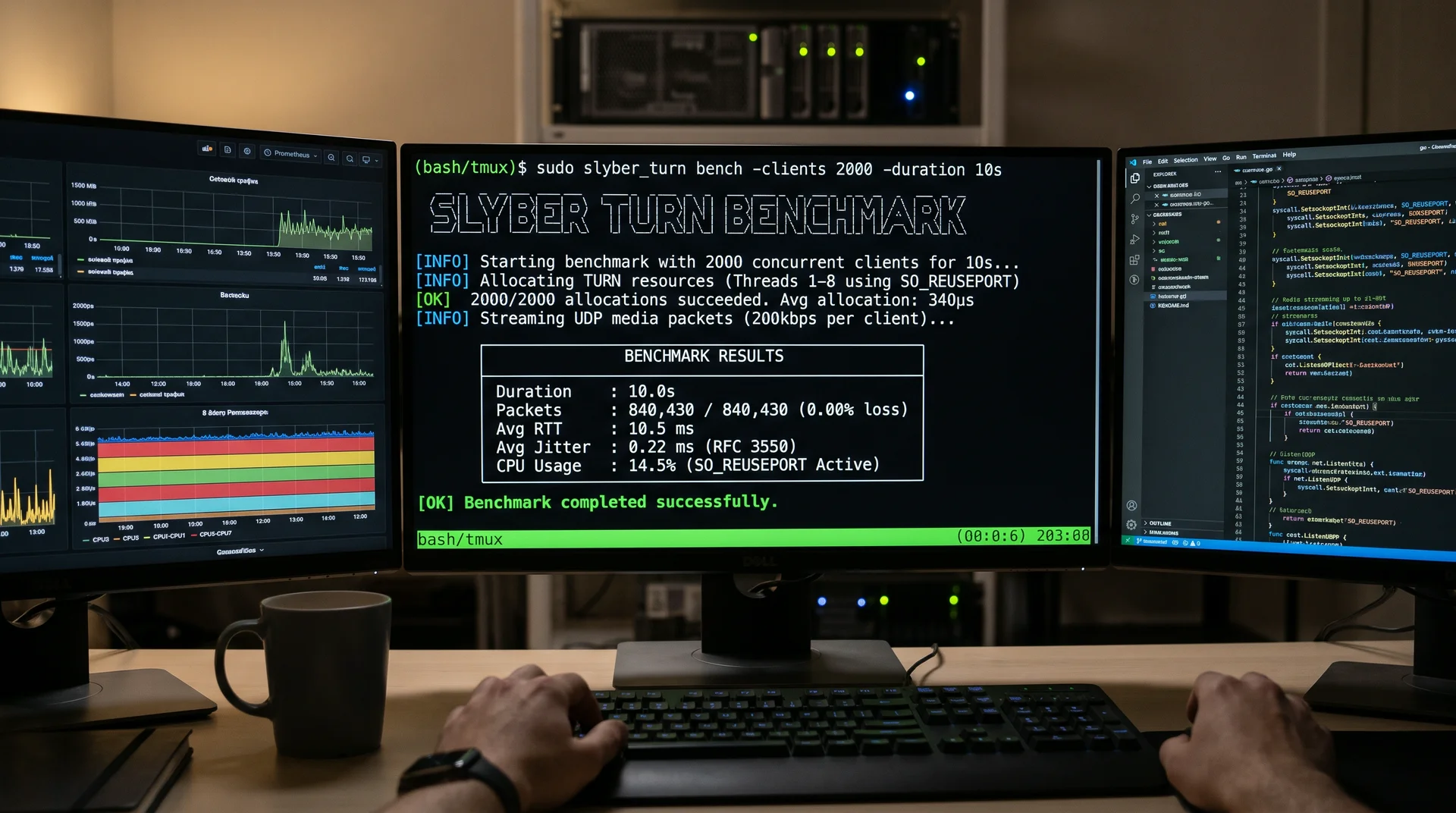
To test the server under production conditions without installing third-party packages on the client, I embedded two tools directly into the main binary: slyber_turn doctor for rapid post-startup diagnostics and slyber_turn bench for load testing.
When running sudo slyber_turn doctor, the utility checks the configuration, validates HTTP API protection, verifies the external IP via STUN, and performs a live relay port allocation:
Plaintext
[OK] Configuration valid (realm: turn.example.com, relay port pool: 49152-65535, capacity: 16384 sessions)
[OK] HTTP API protection active (origins: 1, require_secret: false)
[OK] STUN check passed in 12ms: PUBLIC_IP (203.0.113.50) matches external IP
[OK] HTTP API (:8080/healthz) responded normally (200 OK)
[OK] TURN Allocate succeeded in 390µs (allocated relay address: 203.0.113.50:50124)
A full relay address allocation cycle takes 390µs. When you need to verify server behavior under concurrent load, run the built-in traffic generator:
Bash
sudo slyber_turn bench -clients 20 -duration 5sThe command spins up 20 concurrent client sessions, goes through the actual token retrieval and port allocation procedure, pushes a stream of media packets through the relay, and calculates round-trip delay (RTT), packet loss percentage, and network jitter strictly according to the RFC 3550 standard formula. This provides an exact answer as to how many real calls a specific virtual machine can handle before live traffic ever hits it.
Production Observability and Moving to Group Routing
For continuous node monitoring, slyber_turn includes three built-in telemetry mechanisms that require no external databases:
- The
/metricsendpoint exposes metrics in Prometheus format for building dashboards in Grafana. - Querying
/api/node-statsreturns aggregated statistics for the last 24 hours, current port pool utilization, and aTop Offenderslist highlighting clients that generate abnormal load or frequently trigger security filter rejections. - All critical system events and security triggers are written to disk in a structured log at
/opt/slyber_turn/events.jsonl, which persists even across binary reinstallations.
You can install the server with a single command and view the full API documentation on the Slyber TURN Server project page.